Custom AI agent · Documents & Data
AI Report Automation Agent for Security System Installers
Make every installation closeout easier to trace and review.
Turn security installation notes, device schedules and technician-recorded test logs into traceable reports, with gaps flagged for review.
- Turn site notes, work orders and recorded test logs into consistent job reports
- Flag missing device details, photos, approvals and checklist entries for technician follow-up
- Prepare customer handoffs that distinguish completed records from open items
Starting at $300 USD/month
Starting price is $300 USD/month for a tailored solution. Your proposal defines the reporting workflow, deliverables and payment terms. Integrations, usage, hosting and ongoing support are scoped and priced before work begins.
What is an AI report automation agent for security system installers?
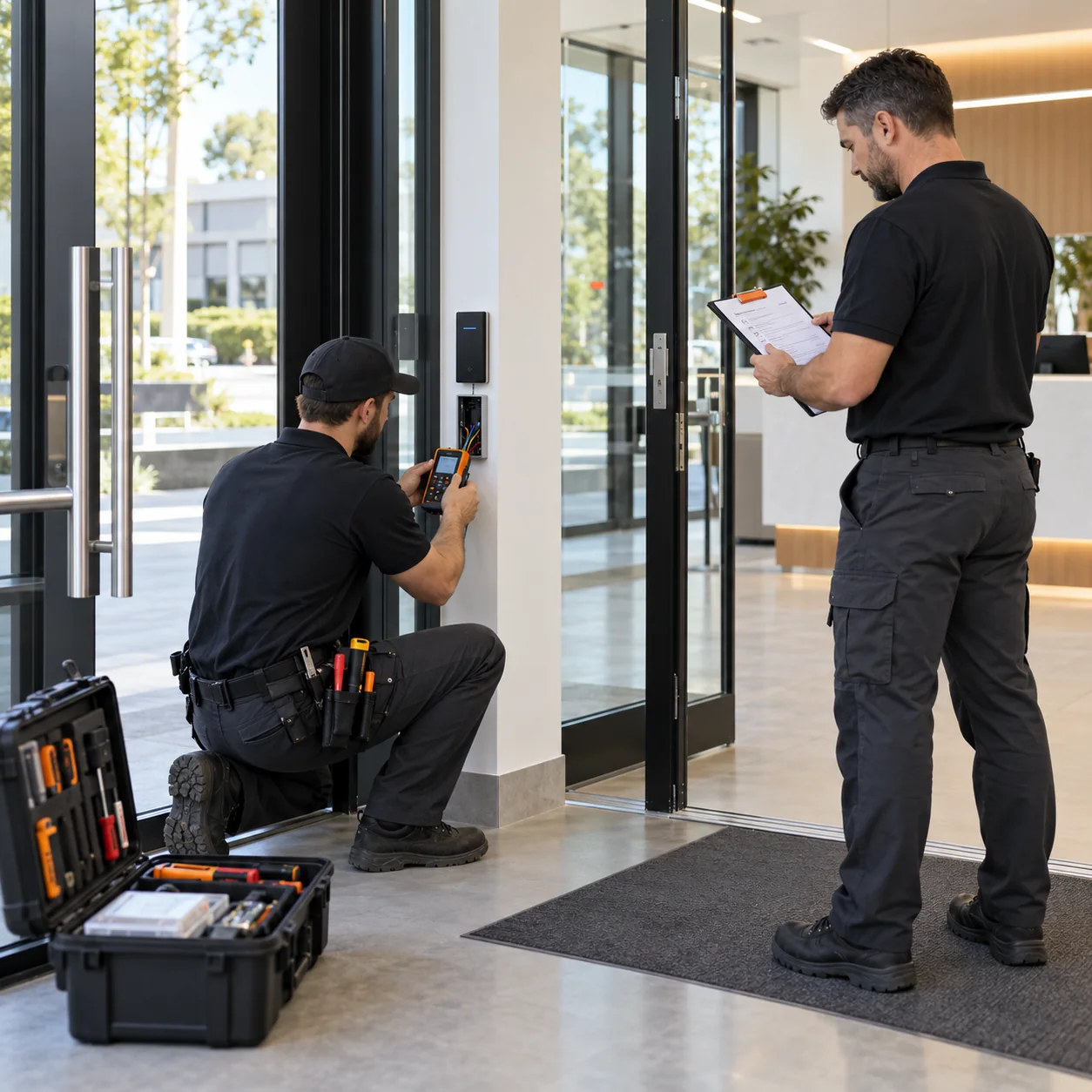
Security system installers coordinate site surveys, equipment lists, access-control or intrusion components, cable work, technician visits, recorded tests, customer approvals and closeout documents. Project information can be scattered across work orders, device schedules, field notes, test sheets and photo folders. This AI report automation agent organizes authorized records into a dated installation timeline, helps reconcile documented devices and test entries, and drafts progress or handoff reports with source references. It flags missing or conflicting information for a qualified technician to review; it does not operate, test or certify any security system.
What it can document
Build a traceable installation timeline
Group approved surveys, work orders, visit notes, change approvals, recorded test sheets and customer sign-offs by job, site area and date. Preserve references to the original records and keep scheduled work distinct from work documented as complete.
Organize device and location records
Structure model, serial, device type and location fields exactly as supplied for panels, readers, cameras, sensors or other equipment in scope. Highlight missing identifiers or inconsistent labels without inferring a device's live state or configuration.
Review test-log completeness
Compare technician-entered results with the checklist and expected fields your company defines, then list blank, conflicting or unmatched entries for follow-up. It does not perform a test or decide whether a system is functioning correctly.
Prepare customer and service handoffs
Draft a report of documented installation milestones, open punch-list items, supplied product documents and recorded customer training or acceptance steps. A technician or project lead verifies the content before it is issued.
Where it can help
Installation progress update
An operations coordinator combines crew notes, approved change records and labeled photo references into a clear status update for a property contact, while separating completed documentation from work still scheduled.
Commissioning-record completeness review
A project lead checks whether required device identifiers and technician-recorded checklist fields are present for each site area, then assigns missing entries to the responsible installer.
Customer closeout and service handoff
An office team assembles the supplied equipment schedule, approved test records, open items, manuals and customer sign-off references into a reviewable handoff packet.
How it works
A step-by-step workflow your team can review before launch.
Select the job and site areas
Choose the work order, reporting period, approved system scope and authorized records to include.
Match records to device identifiers
Organize supplied notes, equipment schedules, photos and technician-entered test sheets by the site, area and device labels your team uses.
Draft the report and surface gaps
Summarize documented progress and open items, retain source references, and flag missing or conflicting fields for review.
Technician validates and approves
A qualified installer checks device details, scope, test records and customer-facing wording before the report is shared or filed.
Built around your business
What we configure
- Project stages, site-area labels, installer roles and closeout requirements
- Device types, model and serial fields, naming conventions and equipment schedules
- Your approved test-log checklist and definitions for complete, pending or follow-up
- Progress reports, commissioning-record reviews, punch lists and customer handoff formats
- Source permissions, retention rules and technician or project-lead approval steps
- Approved exports or separately scoped connections to project-management and service systems
What we need from you
- Sample work orders, field notes, device schedules and closeout documents
- Stable job, site-area and device identifiers with the fields installers record
- Your checklist and status definitions for documented installation and testing work
- A qualified technician to validate test results and approve technical statements
- Access rules for sensitive site plans, device maps, credentials and customer information
Clear boundaries before launch
What it will not do
This agent organizes supplied documentation and drafts reports. It does not design, configure, program, arm, disarm, monitor or otherwise control a security system; grant or revoke access credentials; perform a site survey or device test; assess vulnerabilities; determine whether a system is secure or operational; certify code compliance; approve installation work; or dispatch emergency services. A recorded checklist result is not independent proof that a device or system works. Qualified staff must verify technical records and customer-facing claims. Limit access to sensitive floor plans, device locations, credentials and personal information, and never include live credentials in report sources. Any connection to installer, service, access-control or monitoring software must be reviewed and scoped separately.
How success is measured
Set a baseline for time spent assembling installation and handoff reports. Track source completeness, missing device or checklist fields identified, reviewer corrections, open items assigned and closeout packet delivery time. Use consistent job stages and checklist definitions. These measures show documentation workflow, not system effectiveness, compliance or site security.
Frequently asked questions
What reports can an AI report automation agent prepare for security system installers?
It can organize approved work orders, site notes, device schedules, technician-recorded test sheets, photos and sign-offs into progress updates, completeness reviews, punch lists and customer handoff packets.
Can it test a security device or confirm the system is working?
No. It can check whether supplied test records contain the fields your team expects, but a qualified technician must perform tests and interpret the results.
Can it configure alarms, cameras or access-control devices?
No. This product handles documentation only. It does not configure, monitor or control equipment, change credentials, or access live security systems.
Will it certify code compliance or approve an installation?
No. It does not certify compliance or approve work. Your qualified personnel and the appropriate authorities remain responsible for those determinations.
Can it include serial numbers, site areas and installation photos?
Yes, when those details are available in approved records and your access rules permit their use. The workflow can flag missing fields while limiting exposure of sensitive site information.
Can it connect to our field-service or project-management software?
We first review approved export or API options, permissions and the required fields. Direct integrations are scoped separately and are not automatically included in the starting price.
What does the $300/month starting price include?
Tranki solutions start at $300 USD/month. We review your reporting workflow and provide a proposal defining scope, deliverables and payment terms; integrations, usage, hosting and ongoing support are priced before work begins.