Custom AI agent · Documents & Data
AI Spreadsheet Data Entry Agent for Solar Installers
Keep solar project records aligned from handoff through closeout.
Organize approved solar job, equipment, delivery and permit-status records in consistent spreadsheets, with exceptions routed to project staff.
- Standardize approved job, equipment and installation-status fields
- Flag missing material references, dates and checklist entries
- Route permit, utility and commissioning records to qualified reviewers
Starting at $300 USD/month
Starting price is $300 USD/month for a tailored solution. Your proposal defines the selected workflow, approved sources, integrations, usage and payment terms. Additional services are scoped before work begins.
What is an AI spreadsheet data entry agent for solar installers?
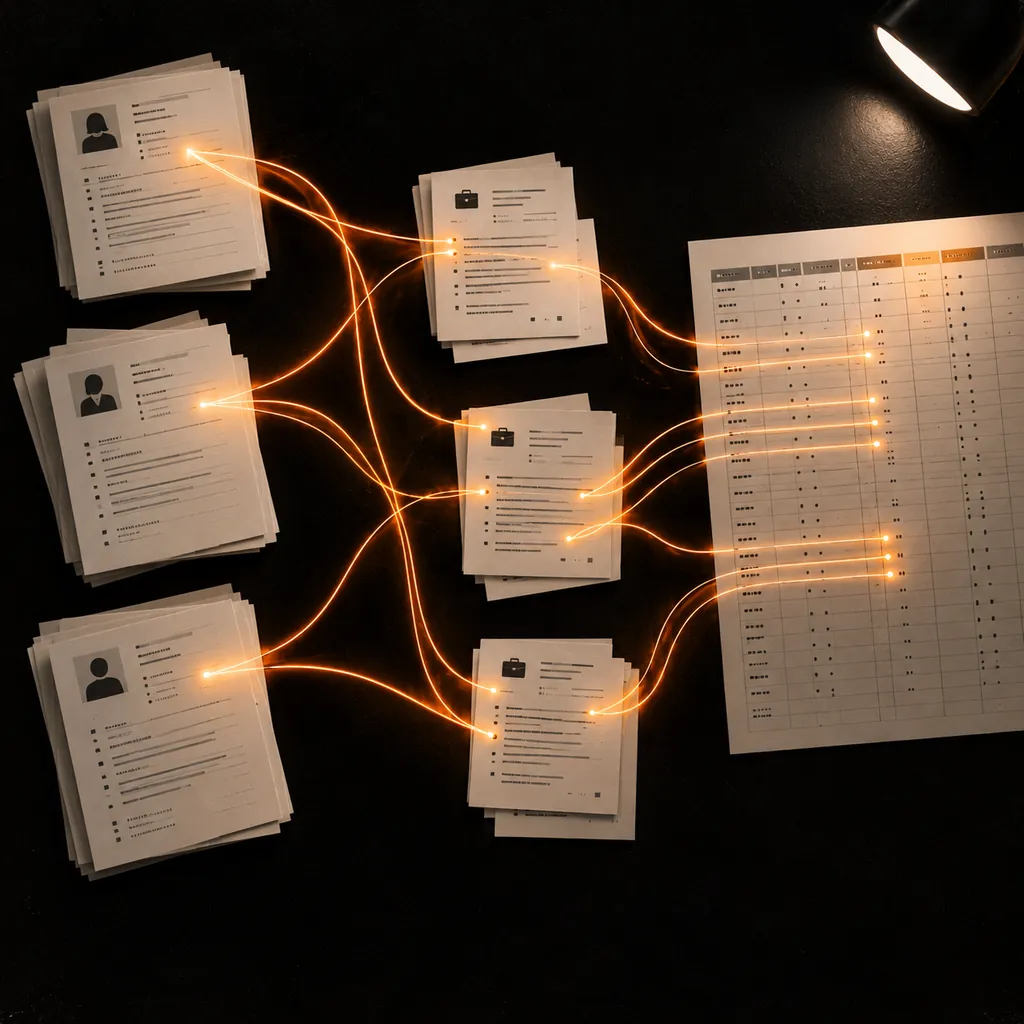
An AI spreadsheet data entry agent for solar installers helps office and field operations teams keep project information consistent across jobs. It can map approved sales handoffs, project schedules, supplier and equipment lists, staff-entered permit or utility status, and technician-completed checklist references into existing workbooks. It normalizes project IDs, dates and item codes, then flags missing or conflicting entries for review. Solar professionals retain responsibility for site surveys, electrical design, permitting, installation, inspections, commissioning and utility approvals.
Solar project records it can help organize
Prepare job intake and schedule sheets
Map approved internal job IDs, project stage, scheduled dates and crew-owner references into the company's tracker. Flag missing work-order links or conflicting dates for coordinator review.
Organize equipment and delivery records
Structure authorized module, inverter, racking and balance-of-system item references, supplier codes, package units and delivery dates. Route quantity or model mismatches to purchasing or installation staff.
Track permit and utility status references
Arrange staff-entered jurisdiction, submission status, utility-interconnection milestone and approved document reference fields. The team verifies requirements, communications, approvals and deadlines.
Compile technician-entered closeout checklists
Place approved inspection, test and closeout statuses with their staff-entered dates and internal job references. Qualified personnel perform tests and approve every technical and safety result.
Where it can help
Opening a solar installation job tracker
Transfer approved internal job references, customer-approved project stage, scheduled dates and crew owner into the operations template. Route missing scope references or date conflicts to the project coordinator.
Reconciling equipment deliveries
Align approved supplier item codes, module or inverter model references, package units and delivery dates with the job's material tracker. Flag unmatched lines or quantities for purchasing and installation staff to verify.
Tracking permit and closeout records
Organize staff-entered permit, inspection, utility-interconnection and closeout statuses with their internal document references. Qualified staff confirm submissions, requirements, approvals and technical completion.
How it works
A step-by-step workflow your team can review before launch.
Choose one project workbook
Select a job tracker, material-delivery sheet, permit-status register or closeout checklist and identify the operations owner.
Define approved sources and fields
Specify internal job IDs, model references, dates, status labels and document references. Exclude unnecessary customer, utility-account, credential and sensitive-site details.
Validate sample installation records
Have a project coordinator or qualified solar professional compare representative rows against authorized work orders, supplier files and technician records.
Prepare updates for staff review
Apply the approved mapping to administrative records and route incomplete or conflicting entries to the assigned reviewer. Staff retain all engineering, compliance, safety and commissioning decisions.
Built around your business
What we configure
- Job intake, installation schedule, equipment delivery and project closeout templates
- Approved supplier catalogs, work-order exports and authorized project records
- Internal job IDs, model codes, date formats, permit stages and utility-status conventions
- Missing-field, duplicate, delivery-mismatch and date-conflict routing rules
- Access roles, customer-data exclusions, retention expectations and scoped integrations
What we need from you
- A solar operations owner and designated project or technical reviewer
- Current workbook templates and definitions for job, equipment, status and document-reference fields
- Authorized sample files with unnecessary customer, utility and site-security details removed
- Approval for each data source, destination, access role and proposed integration
Clear boundaries before launch
What it will not do
This agent organizes approved administrative project records only. It does not conduct site surveys, design electrical systems, calculate loads or system size, select panels or inverters, create engineering drawings, estimate production, determine code compliance, submit permits or utility applications, communicate with utilities, install or test equipment, inspect a system, approve interconnection, or decide whether an array is safe to energize or complete. Qualified solar professionals and authorized staff must verify all technical, permitting, safety and commissioning information. Exclude unnecessary customer contact details, utility-account information, access credentials, payment data and sensitive site-security details unless the company explicitly approves specific fields and safeguards for a scoped workflow.
How success is measured
Set a baseline for operations time spent updating the selected project workbook. Review sampled field accuracy, job and equipment-reference coverage, date and status completeness, delivery mismatches, exception rates, correction time and reviewer effort. Keep these administrative measures separate from system design quality, energy production, code compliance, safety, interconnection success and financial outcomes.
Frequently asked questions
What does an AI spreadsheet data entry agent do for solar installers?
It organizes approved installation project records—such as job references, material lists, permit-status fields, crew schedules and technician-entered checklists—in consistent spreadsheets, and flags gaps for the responsible staff member to review.
Can it design a solar system or calculate panel and inverter sizing?
No. It does not perform site assessments, electrical design, engineering calculations, equipment selection or system sizing. Qualified solar professionals review all technical plans and calculations.
Can it submit permits or utility interconnection applications?
No. It can prepare an internal tracker from approved status updates and document references, but authorized staff handle submissions, utility communications, compliance requirements and approvals.
Can it decide whether an installation is complete or safe to energize?
No. It can organize technician-entered checklist fields, but licensed and qualified personnel perform inspections, tests and commissioning and approve every safety-related step.
Can it connect to our sales, project or inventory software?
An integration is not included automatically. We assess the system, available interface, permissions and approved fields first; any suitable connection is scoped in a tailored proposal.
What customer or site data should we exclude?
Use only the fields needed for the selected administrative workflow. Remove unnecessary customer contact details, utility account information, access credentials, payment data and sensitive site-security information from samples.
What does the $300/month starting price cover?
Solutions start at $300 USD/month. Your proposal confirms the selected workflow, deliverables, integrations, usage and payment terms; additional services are scoped separately.